Dental practice websites from $137 a month, live in 7 days

Three fully managed plans. The $797 one-time build fee is invoiced only after your site is live and you have approved it. Cancel any month.

  • 90+ PageSpeed guaranteed
  • 5 revisions a month
  • Free domain, hosting included
  • Build fee after launch
  • No contract beyond the month

Five ways a practice pays for its website twice

Once when it was built, and again every month it fails to do the front desk's work.

  1. You paid for a website once and it has been aging ever since

    What it costs: The design is from another era, the hours are wrong and the "new" associate joined two years ago. Patients notice before you do.

  2. Every edit is an hourly invoice or a favor

    What it costs: Changing a holiday closure or a fee policy is a small task that waits a month because nobody wants to ask.

  3. The site does not book anything

    What it costs: It shows a phone number. Anyone searching after hours, on a lunch break or from a waiting room somewhere else is lost.

  4. Nobody is writing anything

    What it costs: The blog stopped in the first year, so there is nothing new for search engines to find and nothing that answers the questions patients type.

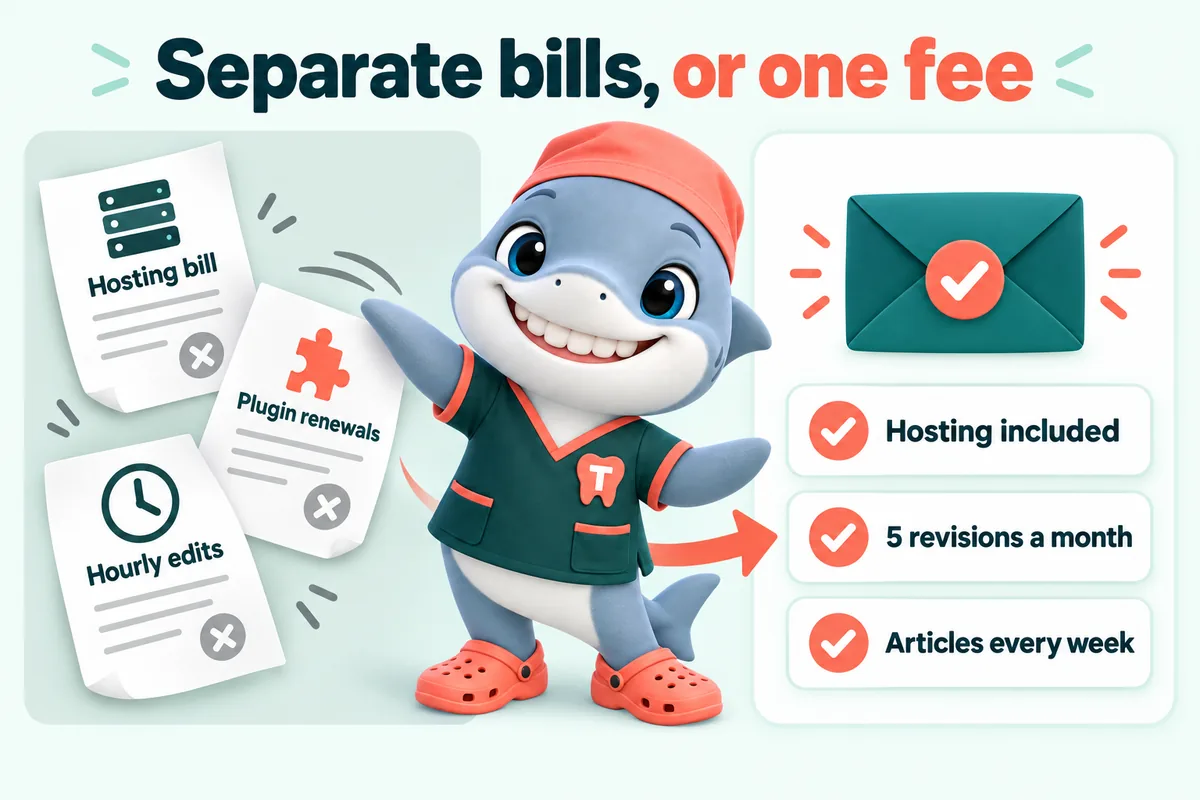
  5. Hosting, domain, SSL and plugins are four separate bills and one headache

    What it costs: When something breaks at night, the practice finds out from a patient who could not load the page.

Speed

Fast on the phone in the school car line

  • Static pages, almost no JavaScriptThere is nothing to wait for. The page is HTML before the browser asks for anything else.
  • Served from Cloudflare's edgeThe site is delivered from the location nearest the patient, not from a shared server across the country.
  • Every photo compressed and sizedOffice, team and gallery images load in the right size for the screen that asked for them.
  • Re-tested after every changeCore Web Vitals checked on a throttled phone before launch and after each revision. 90+ PageSpeed is in the terms.

Ranking

Found for the treatment and the neighborhood

  • A page per treatment and per locationSearch engines rank pages, not practices. Each treatment and each neighborhood gets one worth ranking.
  • Structured data that names the practiceDentist, location, hours, treatments and FAQs are marked up so search engines read them, not guess them.
  • Answer-first copy and FAQ blocksThe first sentence under each heading answers it, which is what both patients and search results want.
  • Researched articles, 2 a week2,500 to 3,200 words each, on the questions patients search before booking, linking back to your treatment pages. We guarantee the site starts ranking locally within 3 to 5 months of launch.

What every plan includes

The full list. Nothing here is an add-on, and nothing changes between plans except the engines.

  • A page for every treatment

    Hygiene, restorative, endodontic, surgical, cosmetic, orthodontic and emergency, matched to your practice type.

  • Location and neighborhood pages

    One per office with hours, parking and team, plus the neighborhoods and towns you draw patients from.

  • Insurance and financing pages

    The carriers you accept, how billing works, and the financing or membership options you offer.

  • Booking request and new-patient form

    Reason for visit, insurance carrier, preferred times. Into your PMS or CRM, labeled as a request.

  • New patients page, team page, gallery

    What to expect, who they will meet, and the office as it actually looks.

  • 5 revisions a month, no size limit

    Then $20 each. Completed within 2 to 5 working days.

  • Researched articles every week

    2 a week on the first two plans, 3 on Multi-Location, 2,500 to 3,200 words each.

  • Domain, hosting, SSL, backups, monitoring

    Cloudflare, with nothing itemized and nothing for you to renew.

  • CRM and PMS connection

    By API, Zapier or Make, with new-patient requests tagged separately.

The kinds of articles we write

2 a week on Single Operatory and Full Practice, 3 on Multi-Location, each 2,500 to 3,200 words, sourced and reviewed by you if you wish. General information for patients, never a diagnosis.

  • What to expect at a first visit
  • Treatment explainers (crowns, implants, root canals)
  • Braces compared with clear aligners
  • Is this a dental emergency?
  • Insurance, financing and membership plans explained
  • Children's first dental visits
  • Whitening and cosmetic options
  • Aftercare and recovery guides
  • Neighborhood guides for each location
  • Seasonal topics (back to school, year-end benefits)

How revisions work

  1. A revision is one change request of any size

    A new team member, a whole new treatment page, a reworked home section or a one-word fix each count as one. "Build two new service pages, here is the copy for both" is still one revision.

  2. 5 a month included, then $20 each

    No hourly billing and no cap on additional revisions beyond the five included. You always know what a change costs before you ask for it.

  3. Done within 2 to 5 working days

    Small changes such as holiday hours are usually same day. Every change is speed-checked before it ships.

  4. Requested from your client portal

    You get a portal the day the site goes live. Revisions, support tickets and files all go through it, not an email address you have to remember.

  5. Approval if you want it

    Name an approver and nothing is published until they say yes on the preview link.

  6. Unused revisions do not roll over

    Five reset every month whether or not you used them all, so there is nothing to bank or lose track of.

What a weekly update usually covers

The things that change at a practice every month, handled by email.

  • Hours, closures and holiday schedules

    On every location page and in structured data, so search shows the right hours.

  • Team changes

    New hygienists, associates and front desk staff added with a bio and photo; leavers removed the same week.

  • New-patient offers and seasonal promotions

    Swapped on the home page and the new patients page. The wording and any figure come from you.

  • Treatment and technology changes

    A new scanner, a new sedation option, a retired service: the page changes or is retired.

  • Insurance carrier updates

    Added or removed plans reflected on the insurance page and the booking form.

  • Photos and galleries

    New office photos or case photos (with your consent wording) compressed and added.

What changes when the website is managed

  • Before:A build quote, a deposit and a launch date that slips.After:One monthly fee, the build fee invoiced only after launch, and a launch date of 7 to 15 days.
  • Before:Hourly invoices for every change.After:5 revisions a month included, then $20 flat.
  • Before:A blog that stopped after three posts.After:2 researched articles a week, every week, with sources.
  • Before:Hosting, domain, SSL and plugins on four separate bills.After:Cloudflare hosting, domain and SSL inside the monthly fee.
  • Before:A phone number for booking.After:A booking request into your PMS or CRM, around the clock.
  • Before:A PageSpeed score nobody has checked since launch.After:90+ guaranteed and re-tested after every change.

How it works

Four steps, and the only one you pay for before launch is the first month.

  1. Pay the first monthly invoice

    That is the whole commitment. No deposit, no build fee up front, no contract beyond the month.

  2. Fill in the onboarding form, then one call

    The onboarding form takes about 15 minutes; anything missing can follow later by email or as a portal ticket. Then about an hour on a call to fill any gaps: treatments, insurance carriers, team, locations and how your front desk wants requests to arrive.

  3. We build, you approve

    Pages arrive on a preview link as they are ready. You comment, we change, and the booking request is connected to your PMS or CRM and tested with a real submission.

  4. Live, then the build fee

    The site goes live on your domain. Only when you confirm you are happy do we invoice the $797 one-time build fee. Weekly updates start the same week, requested from your client portal.

The treatment plan: what each plan includes

Rows are what you get, columns are the plans. Everything in the first two groups is on every plan.

Comparison of the three plans
IncludedSingle OperatoryFull PracticeMulti-Location
The plan
Monthly fee$137/ month$747/ month
One-time build feeInvoiced only after launch and your approval$797$797
Live inCounted from the onboarding call7 days15 days
The website
A page for every treatmentIncludedIncluded
Location and neighborhood pagesIncludedPer office, with a location hub
Insurance and financing pagesIncludedIncluded
Booking request form into your PMS or CRMIncludedIncluded
PageSpeed guarantee90+90+
Domain, free or your ownIncludedIncluded
Cloudflare hosting, SSL, backups, monitoringIncludedIncluded
Managed every week
Revisions a monthThen $20 each, no size limit55
Revision turnaround2 to 5 working days2 to 5 working days
Researched articles a week2,500 to 3,200 words23
AI Engine
AI receptionist and site chatNot includedIncluded
SMS, Messenger and Instagram agentsNot includedIncluded
Call-analysis PDF and A2P 10DLC filingNot includedIncluded
Content Engine
3 social image posts and 2 reels a weekNot includedIncluded
Google Business Profile managed per locationNot includedIncluded

Pick the plan by what you want the website to take off the front desk

All three are fully managed and all three carry the same build fee, invoiced after launch.

Single Operatory

The website, fully managed

$137/ month

Plus $797 one-time build fee, invoiced after launch

Live in 7 days

Best for

A single-location practice that wants the website, the booking request and the weekly updates handled, with the front desk answering calls in office hours.

What the practice gets

The practice gets a page for every treatment, location and insurance pages that answer the first question, booking requests landing in the PMS or CRM with the details filled in, and a site that changes every week without anyone logging in.

Start with Single Operatory

Multi-Location

Everything, plus the Content Engine

$747/ month

Plus $797 one-time build fee, invoiced after launch

Live in 15 days

Best for

A group with two or more offices that needs each location visible on its own, a steady stream of content, and its Google Business Profiles kept current.

What the practice gets

Everything in Full Practice, plus the Content Engine: 3 researched articles a week, 3 social image posts and 2 reels a week in your brand, and every Google Business Profile managed, with a location hub and a page per office.

Start with Multi-Location

One build fee covers the whole group; each additional office is scoped on the demo call.

All sales are final

Every payment is final once taken. The only refund is for a duplicate or incorrect charge made by our billing, reported within 30 days. Full detail in the refund policy.

Cancel with 2 business days notice

Email us at least 2 business days before your next invoice date, during business hours (9 to 5 Central, Monday to Friday). A weekend email does not count until Monday, so it will not give 2 days notice for a Monday or Tuesday invoice.

Questions about the plans and billing

What do I actually pay, and when?

You pay the monthly fee for the plan you choose up front: $137 for Single Operatory, $297 plus AI usage for Full Practice, or $747 for Multi-Location. The $797 one-time build fee is invoiced only after your site is live and you have confirmed you are satisfied with it.

What exactly do I get for the monthly fee?

A complete dental practice website, built for your practice type, with a page for every treatment, location pages, insurance and financing pages, the booking request form connected to your practice management system or CRM, 5 revisions a month, 2 researched articles a week, Cloudflare hosting, a domain and ongoing management. The Full Practice plan adds the AI Engine and the Multi-Location plan adds the Content Engine.

What counts as a revision, and what happens after five?

A revision is any change request you send, with no limit on how much goes into one. 5 are included every month. After that each additional revision is a flat $20, with no hourly billing anywhere. Every revision is completed within 2 to 5 working days.

What is the AI usage charge on the Full Practice plan?

The $297 monthly fee covers the AI Engine itself. The minutes, messages and carrier fees it uses are billed at cost each month on top, itemized so you can see exactly what was used. There is no markup on usage and no minimum.

Is there a contract or can we cancel any time?

There is no contract beyond the month. To cancel, email us at least 2 business days before your next invoice date, during business hours (9:00 to 17:00 Central, Monday to Friday, excluding US public holidays). A message outside those hours counts from the start of the next business day, so a weekend email does not give 2 business days of notice for a Monday or Tuesday invoice. With valid notice no further invoice is raised; with late notice the next invoice is charged and cancellation takes effect at the end of that month. If you cancel before the build starts, the build fee is never charged.

Can we start on one plan and move to another?

Yes. Most practices start on Single Operatory or Full Practice and move up when they add the AI Engine or a second location. A plan change takes effect from your next billing date and there is no second build fee.

Where is the site hosted and what is included?

On Cloudflare's global network, with SSL, CDN, DDoS protection and unmetered bandwidth included in the monthly fee. There is no hosting bill, no SSL bill and no bandwidth overage, ever. Because the site is static there is no database or admin login to be attacked and no plugins to break.

Can we keep our existing domain?

Yes. We point the new site at the domain you already own and manage the DNS for you, so nothing changes for patients or for your email. If you do not have a domain, one is included free for as long as your plan is active, registered in your practice's name through Cloudflare Registrar or Spaceship, and it stays yours.

What happens to our current site and its search rankings?

We map every page on your current site to a page on the new one and set up redirects so nothing that ranks today points at a dead page. The new site launches with the same domain, faster pages, more treatment pages and correct structured data, which is the usual starting point for rankings to improve rather than fall.

Who writes the articles and what are they about?

Our writers research and write 2 articles a week on the Single Operatory and Full Practice plans and 3 a week on Multi-Location, each 2,500 to 3,200 words, on the questions patients search before booking: first visits, what a crown involves, aligners compared with braces, what to do about a chipped tooth. Every article cites its sources, is general information rather than advice, and can be reviewed by you before publishing.

What does the AI Engine actually do for a dental practice?

On the Full Practice and Multi-Location plans it answers questions about your practice, hours, treatments, insurance and financing on the website, by SMS, on Messenger and on Instagram, and turns the conversation into a booking request with the same fields as the form. It is scripted from your own pages, never gives dental advice, and hands anything clinical to a person at your practice.

Which practice types do you build for?

General and family dentistry, pediatric dentistry, cosmetic dentistry, orthodontics, implant and restorative practices, oral surgery, periodontics and endodontics, from a single operatory to a multi-location group. Each practice type gets its own page structure, treatment set, booking form fields and referral pages where they apply.
More answers on the full FAQ page, or email us and a person replies within one working day.

Pick a plan on the demo, not before it.

From $137 a month, live in 7 days, and nobody at the practice ever logs into anything.